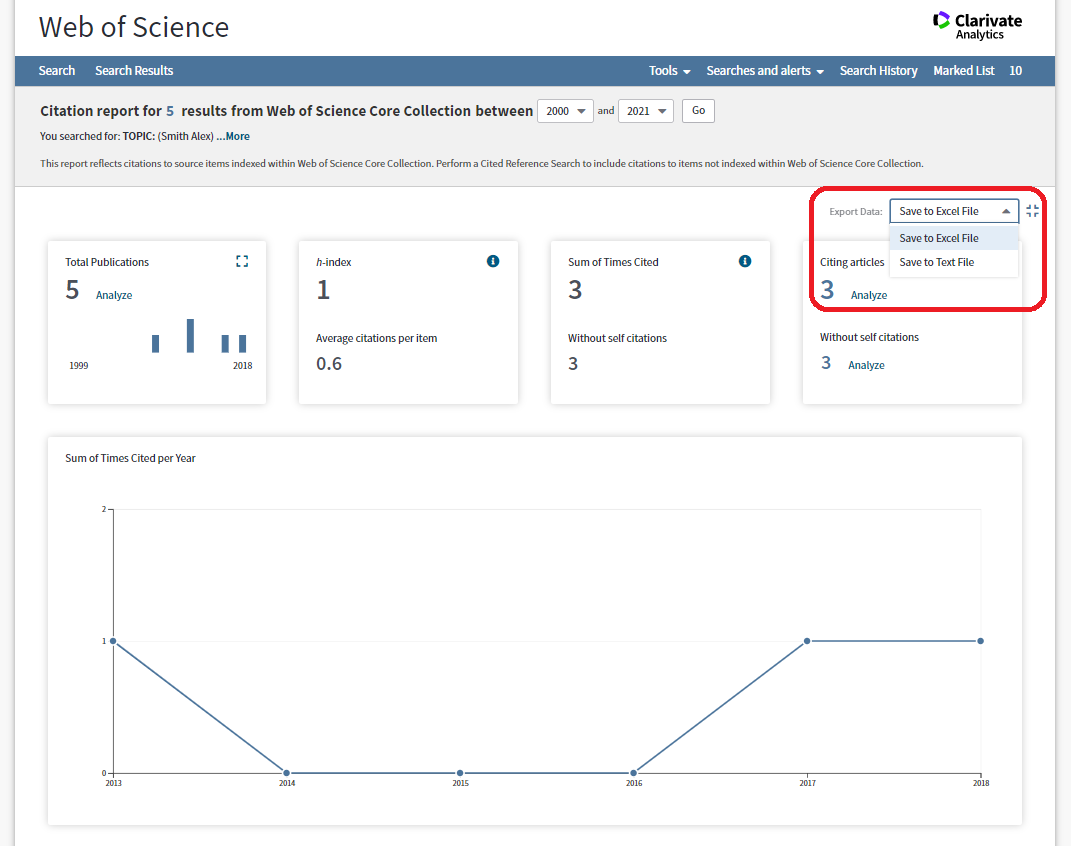


Web of Science is a large citation and indexing database powered by Thomson Reuters, which provides coverage in many subject areas, but mainly in the sciences. The databases indexes over 21,100 journals and 205,000 conference proceedings. It also includes the Book Citation Index which provides citation information for book and book chapters. A range of metrics can be obtained from the database.
Web of Science can create a citation report and calculate h-index for individual author. To do so, you have to:
- perform an Author Search first;
- then create your own Citation Report.
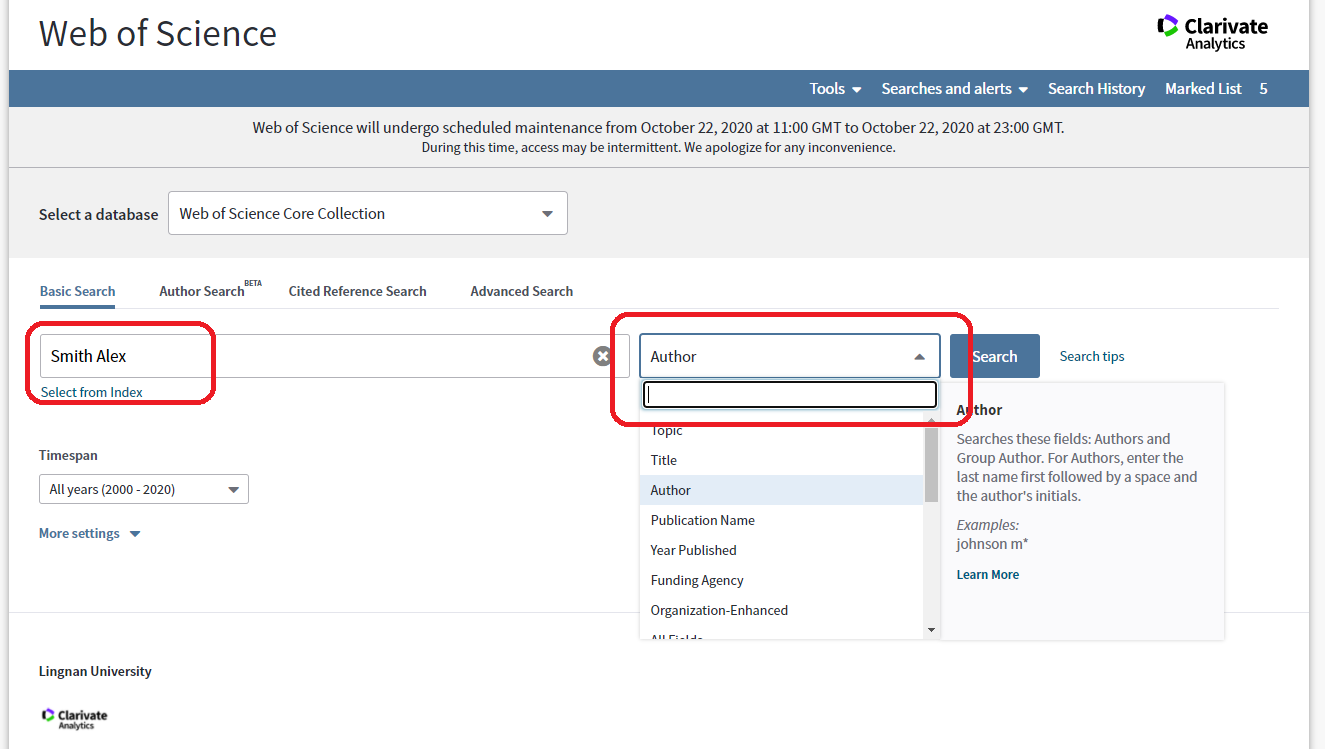
Access to Web of Science Basic Search interface.
Enter author’s last name, followed by the initial of the first name into the search box. Select Author from the drop-down menu to the right of the search box, click “Search”.
For example:
Enter "Smith Alex" and select "Author" in drop-down menu.
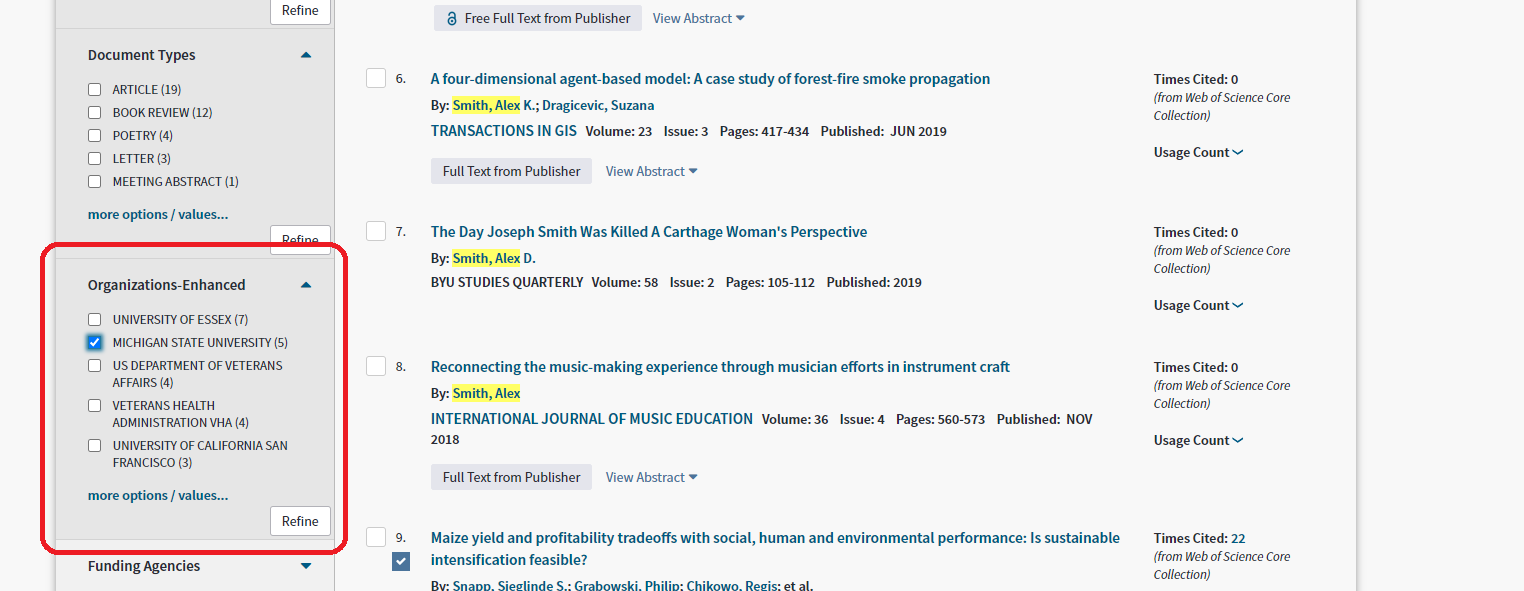
In the search result page, “Refine Result” function would be available in the left hand side of the page. Refine the result by choosing the proper institution from Organizations-Enhanced field and click "Refine" to finish.
For example:
Select "MICHIGAN STATE UNIVERSITY"
The result page will display journal articles, books and conference proceedings written by your searched author.
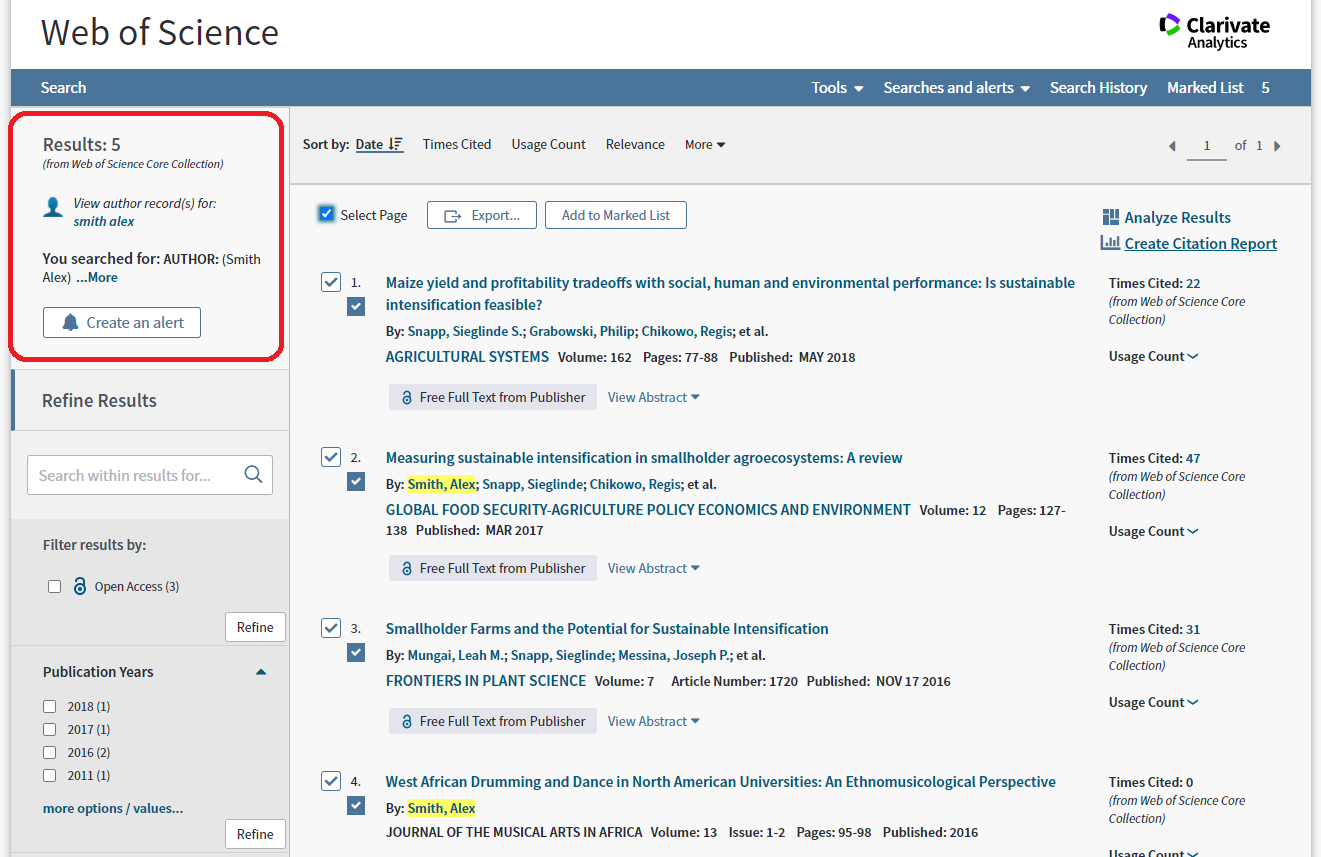
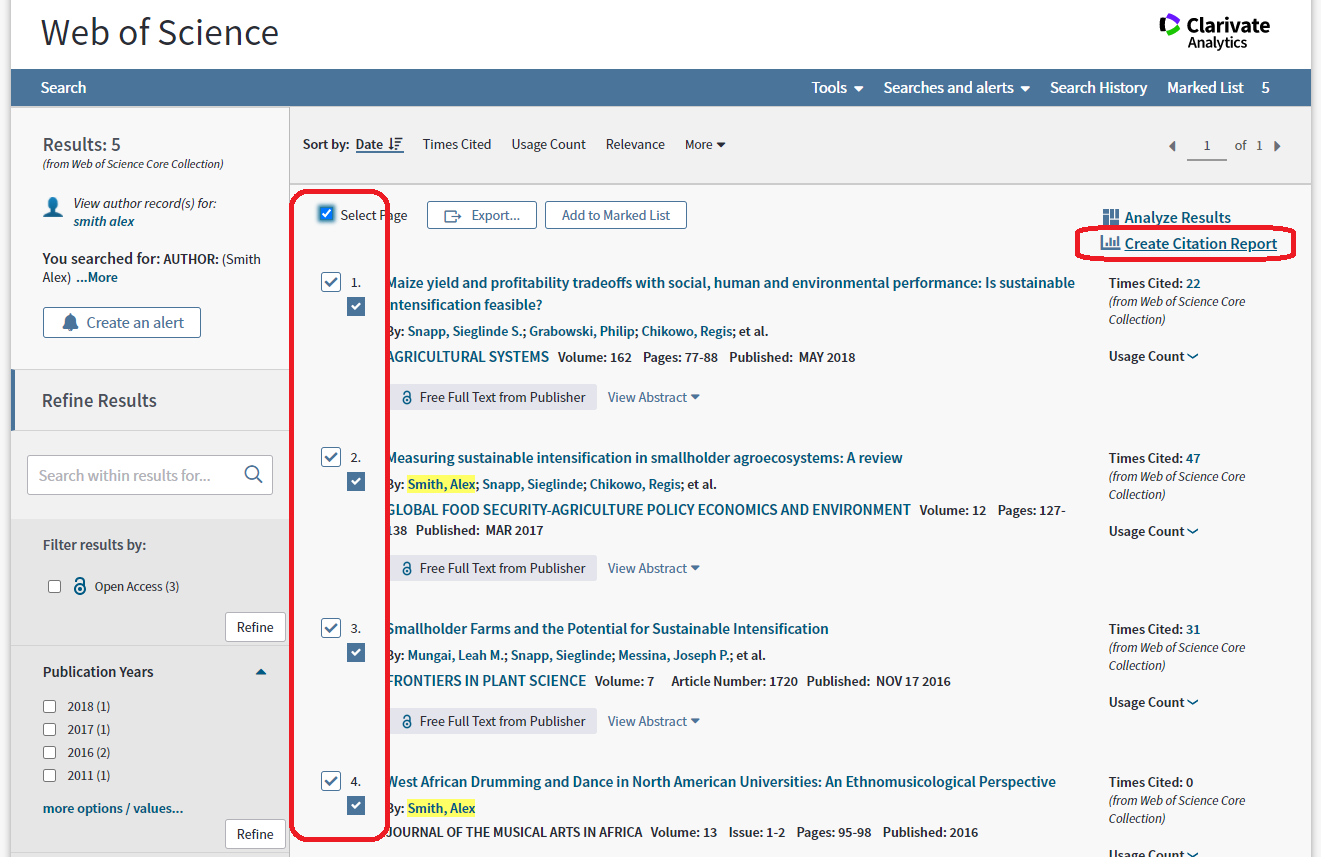
Click “Create Citation Report” at the top right hand corner. The Citation Report provides aggregate citation statistics and calculates the h-index for the publications in the search result page. To create a citation report based on selective publications, select and save the targeted records to the Marked List, and then create your citation report from the Mark List.
To export your Citation Report, choose “Save to Excel File” or “Save to Text File” from the drop-down menu at the upper right-hand corner of the page.